
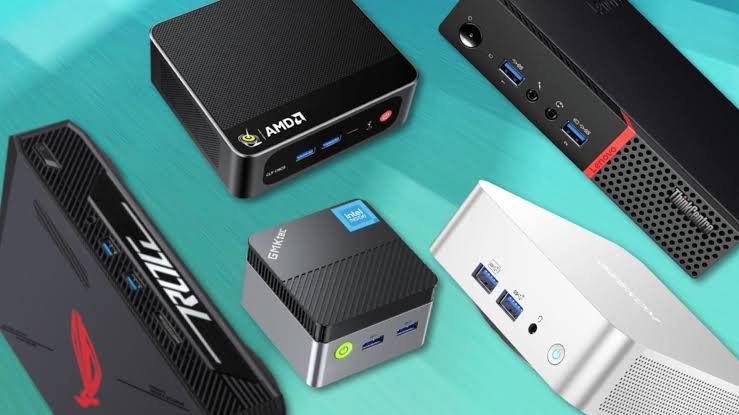
Gaming PCs have traditionally been large, heavy, and difficult to move, but that has changed dramatically over the last few years. Modern mini gaming PCs are more powerful than ever, offering impressive gaming performance while taking up only a small amount of desk space. Whether you’re building a minimalist setup, need a travel-friendly computer, or simply want a cleaner workspace, these compact systems provide an excellent alternative to traditional desktop towers.
Based on my research, today’s best mini gaming PCs can comfortably handle everyday computing, content streaming, productivity, and even many modern games. Thanks to the latest AMD Ryzen processors and improved integrated graphics, compact computers are no longer limited to basic office work. Many models can deliver smooth gameplay in popular titles while remaining quiet and energy efficient.
Choosing the right mini gaming PC isn’t only about selecting the fastest processor. Memory capacity, storage speed, graphics performance, cooling efficiency, and upgrade options all play an important role in overall user experience. After comparing dozens of available models, I selected systems that provide the strongest combination of performance, reliability, and long-term value.
5 Best Mini Gaming PCs
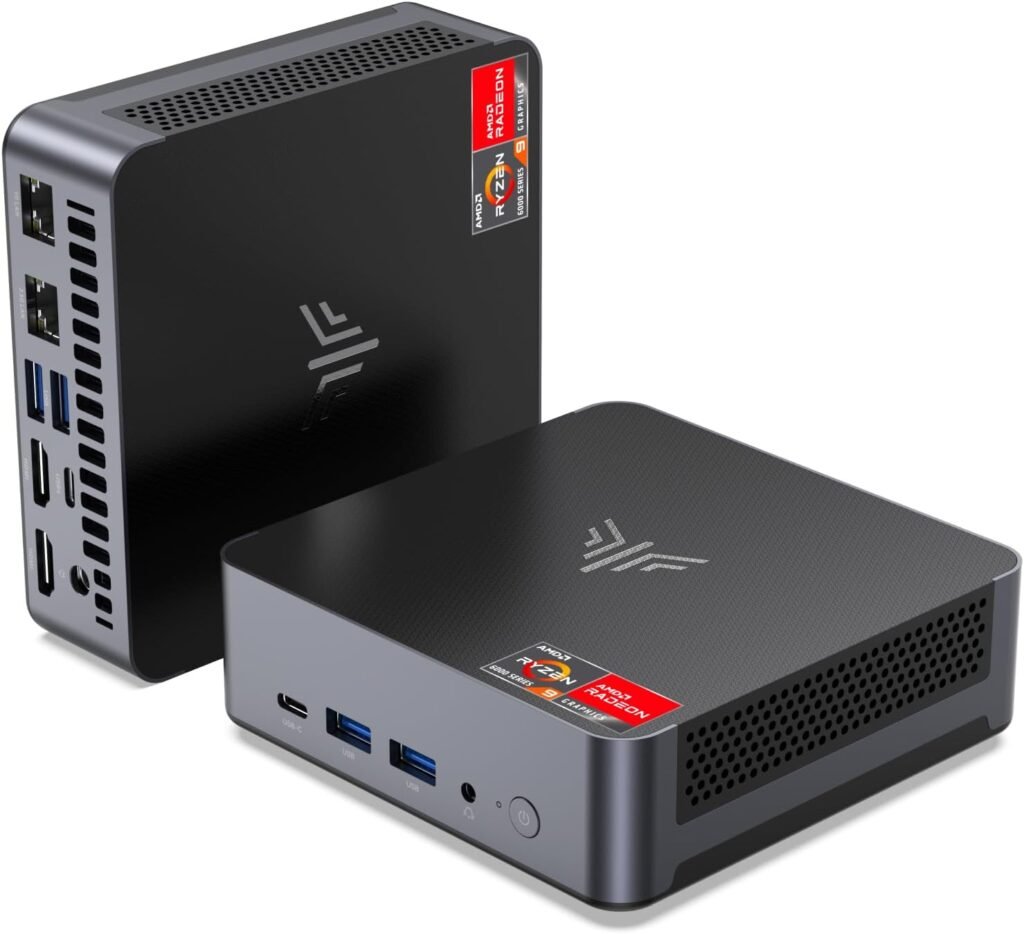
1. KAMRUI AM21 Mini Gaming PC
- ✅ Best Overall Mini Gaming PC
KAMRUI AM21 earns the top spot because it offers an excellent mix of processing power, graphics performance, and premium hardware right out of the box. Based on my research, the AMD Ryzen 7 8745HS processor combined with Radeon 780M graphics delivers enough performance for demanding multitasking, creative workloads, and smooth 1080p gaming in many modern titles. Since it already includes 32GB of DDR5 memory and a 1TB PCIe 4.0 SSD, there’s very little you’ll need to upgrade after purchasing it.
After comparing the available options, I’d recommend this model for anyone who wants a compact computer that’s ready to handle both work and gaming. USB4 connectivity, Wi-Fi 6, dual LAN ports, and support for up to four displays make it far more versatile than many competing mini PCs. While it isn’t intended to replace a desktop equipped with a dedicated graphics card, it delivers outstanding value for gamers looking for a powerful all-in-one compact solution.
Specifications
- Processor: AMD Ryzen 7 8745HS
- Graphics: AMD Radeon 780M
- Memory: 32GB DDR5 5600MHz
- Storage: 1TB PCIe 4.0 NVMe SSD
- Wireless: Wi-Fi 6 & Bluetooth
- Ports: USB4, HDMI, Dual LAN
- Display Support: Up to 4 Displays
Pros
- Excellent gaming performance
- Powerful Radeon 780M graphics
- Large 32GB DDR5 memory
- Fast PCIe Gen4 SSD
- USB4 connectivity
Cons
- Costs more than budget models
- Not designed for high-end 4K gaming
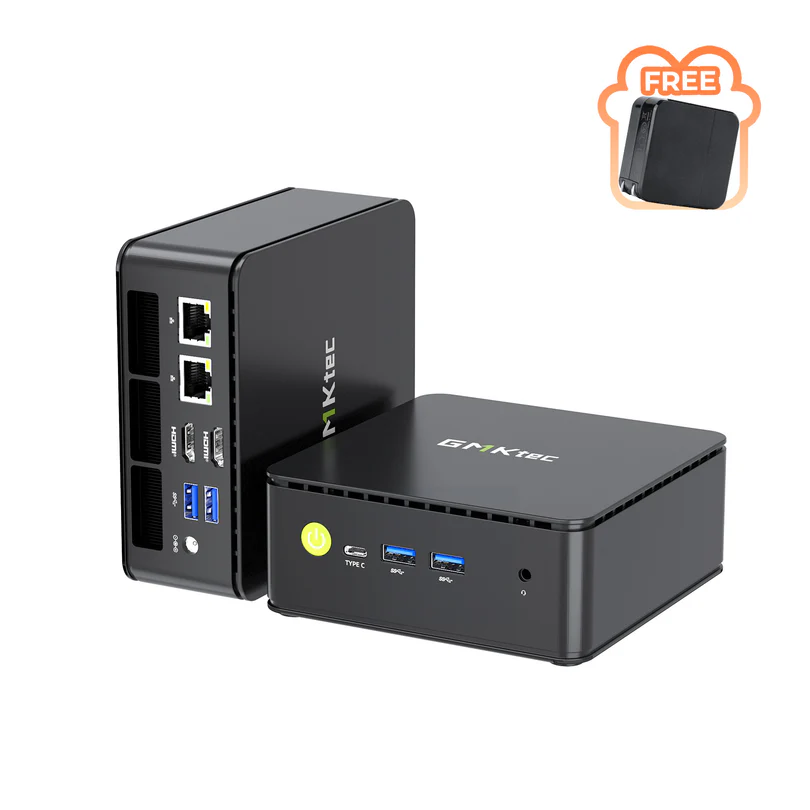
2. GMKtec K12 Gaming Mini PC Barebone
- ✅ Best for Future Upgrades
GMKtec K12 is an excellent choice for users who want the freedom to build a mini gaming PC their own way. Unlike preconfigured systems, this barebone model lets you install your preferred RAM, SSD, and operating system, giving you complete control over performance and budget. Based on my research, it also features AMD’s newer Ryzen 7 H 255 processor paired with Radeon 780M graphics, making it well-suited for gaming, content creation, and everyday productivity once fully assembled.
One of the biggest advantages of the K12 is its upgrade potential. It includes an OCuLink port for connecting an external graphics card, along with three M.2 SSD slots for expanding storage in the future. If I were building a compact gaming setup that I planned to upgrade over time, this would be one of my first choices. Although the initial setup requires a little more effort than a ready-to-use mini PC, the flexibility easily makes up for it.
Specifications
- Processor: AMD Ryzen 7 H 255
- Graphics: AMD Radeon 780M
- Memory: User Installed
- Storage: User Installed
- Expansion: 3× M.2 PCIe SSD Slots
- Connectivity: USB4, OCuLink, Dual 2.5Gb LAN
- Display Support: Quad Display
Pros
- Outstanding upgrade potential
- Supports external GPU through OCuLink
- Three M.2 storage slots
- Excellent processor performance
Cons
- RAM and SSD not included
- Windows must be installed separately
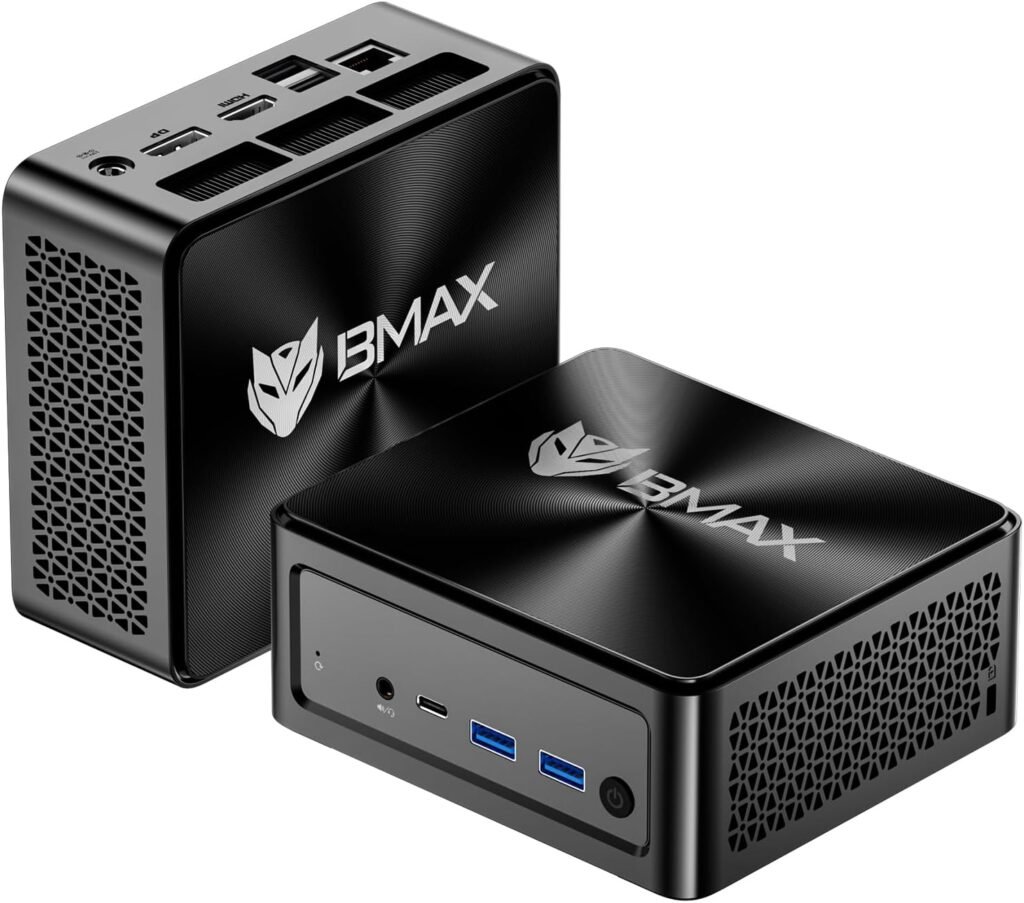
3. Bmax B8A Pro Mini Gaming PC
- ✅ Best Value Mini Gaming PC
If you’re looking for excellent gaming performance without paying premium prices, the Bmax B8A Pro deserves serious consideration. It features the AMD Ryzen 7 8745HS processor together with Radeon 780M graphics, offering performance that closely matches more expensive mini PCs. Based on my research, it handles multitasking, streaming, office work, and modern 1080p gaming surprisingly well while maintaining an affordable price.
After comparing similarly priced systems, I’d recommend this model for buyers who want the best balance between cost and performance. It comes equipped with 16GB DDR5 memory and a 512GB NVMe SSD, which are more than enough for most users and can be upgraded later if needed. Its compact design, fast networking, and support for multiple displays make it a practical choice for both gaming and everyday computing.
Specifications
- Processor: AMD Ryzen 7 8745HS
- Graphics: AMD Radeon 780M
- Memory: 16GB DDR5
- Storage: 512GB NVMe SSD
- Wireless: Wi-Fi 6
- Connectivity: USB4, 2.5Gb LAN
- Display Support: Triple 8K Displays
Pros
- Excellent price-to-performance ratio
- Modern Radeon 780M graphics
- Fast DDR5 memory
- Upgradeable components
Cons
- Smaller SSD than premium models
- Heavy multitaskers may prefer 32GB RAM
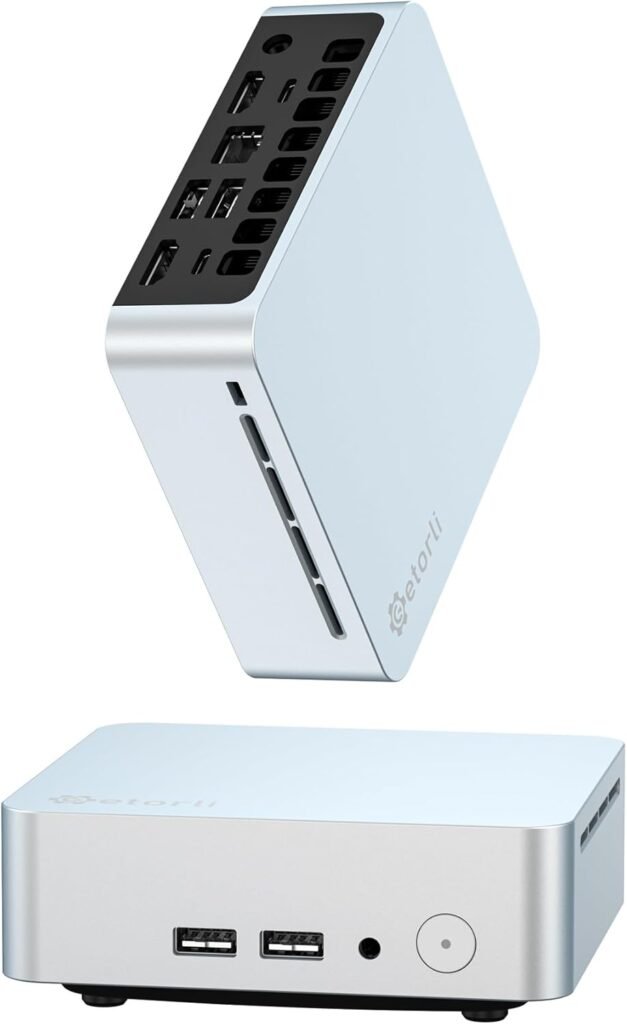
4. Getorli Mini PC Ryzen 5 3550H
- ✅ Best Budget Gaming Mini PC
Getorli Mini PC is a practical option for buyers who need a compact computer without spending a large amount of money. Powered by the Ryzen 5 3550H processor, it performs well for web browsing, media streaming, office applications, and lighter games. Based on my research, it’s better suited for esports titles and older games than demanding modern AAA releases, making it a reasonable choice for casual gamers.
If I were shopping with a limited budget, I’d consider this system for everyday use with occasional gaming rather than as a dedicated gaming machine. It includes 16GB DDR4 memory, a 512GB NVMe SSD, Wi-Fi 6, and support for three 4K displays, offering plenty of functionality for its price. While newer Ryzen processors deliver significantly better graphics performance, this model still represents solid value for entry-level users.
Specifications
- Processor: AMD Ryzen 5 3550H
- Graphics: Radeon Vega 8
- Memory: 16GB DDR4
- Storage: 512GB NVMe SSD
- Wireless: Wi-Fi 6
- Connectivity: USB-C, Dual HDMI
- Display Support: Triple 4K Displays
Pros
- Affordable price
- Good everyday performance
- Triple-display support
- Compact design
Cons
- Older processor architecture
- Limited AAA gaming performance
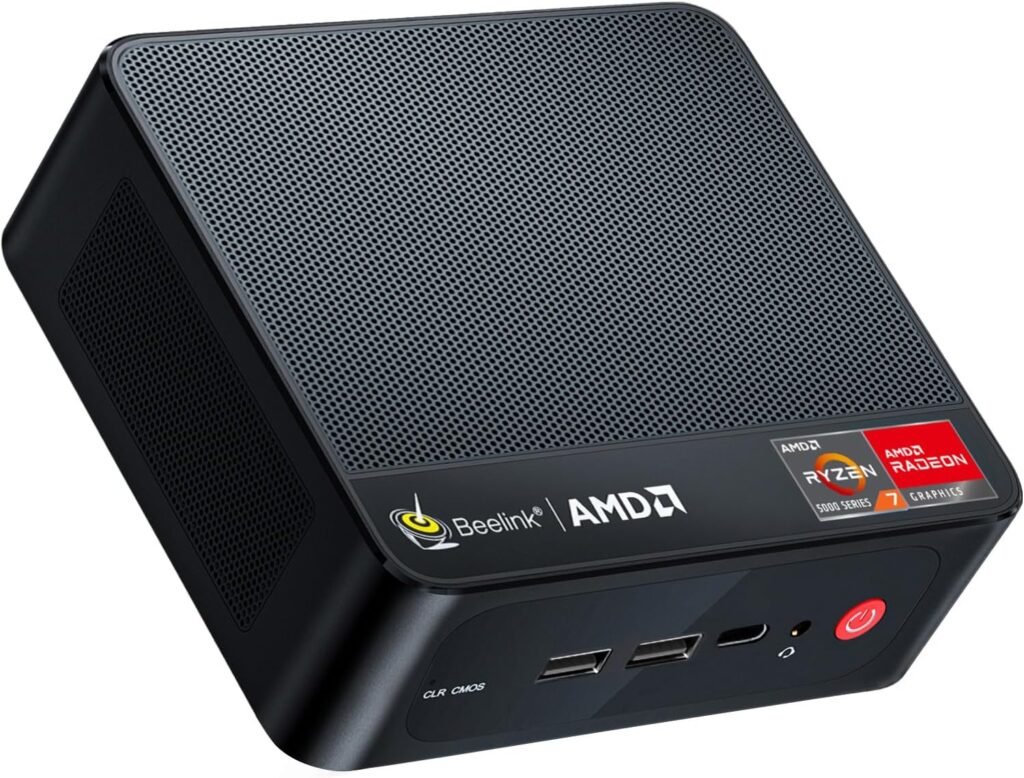
5. Beelink SER5 PRO Mini PC
- ✅ Best Entry-Level Mini Gaming PC
The Beelink SER5 PRO is a great option for anyone who wants dependable performance at a reasonable price. Based on my research, its AMD Ryzen 5 5625U processor offers a noticeable improvement over many budget mini PCs, making it suitable for office work, content streaming, multitasking, and light gaming. While it isn’t built for demanding AAA titles on high settings, it performs well in many popular esports games and older releases.
After comparing several compact computers in this price range, I’d recommend the SER5 PRO for buyers who want reliability and everyday performance without overspending. It comes with 16GB DDR4 memory, a 480GB PCIe SSD, Wi-Fi 6, Bluetooth 5.4, and a fast 2.5Gb Ethernet port, making it a well-rounded system for home or office use. If your gaming needs are moderate and portability matters, this model offers excellent overall value.
Specifications
- Processor: AMD Ryzen 5 5625U
- Graphics: AMD Radeon Graphics
- Memory: 16GB DDR4
- Storage: 480GB PCIe SSD
- Wireless: Wi-Fi 6 & Bluetooth 5.4
- Connectivity: USB-C, HDMI, 2.5Gb LAN
- Display Support: Triple Displays
Pros
- Excellent value for money
- Efficient Ryzen processor
- Fast wired networking
- Compact and quiet
Cons
- Uses DDR4 instead of DDR5
- Not intended for demanding AAA games
Buying Guide: How to Choose the Best Mini Gaming PC
Buying a mini gaming PC can be confusing because many models look similar on paper. However, small differences in the processor, graphics, memory, and storage can have a noticeable impact on gaming performance. Based on my research, it’s worth paying attention to the hardware that matters most instead of focusing only on the price.
1. Choose a Modern Processor
The processor is the heart of every computer. If you’re buying a mini gaming PC, I’d recommend choosing a recent AMD Ryzen processor whenever possible. Models like the Ryzen 7 8745HS offer excellent multitasking performance while also providing stronger integrated graphics than many older CPUs.
Older processors still work well for basic computing, but they won’t deliver the same gaming experience or long-term value.
2. Integrated Graphics Matter
Unlike traditional gaming desktops, most mini gaming PCs rely on integrated graphics instead of dedicated graphics cards. That’s why choosing a model with AMD Radeon 780M graphics can make a significant difference.
If you mainly play esports games or older titles, Radeon Vega graphics are still capable. However, for newer games, Radeon 780M provides much smoother gameplay and higher frame rates.
3. Memory and Storage
Memory affects how smoothly your system handles gaming and multitasking. For most users, 16GB of RAM is enough, while 32GB offers additional headroom for heavier workloads and future games.
Storage is equally important. An NVMe SSD helps games load faster and keeps Windows responsive. I generally recommend starting with at least 512GB of storage, although 1TB is a better long-term option if you install multiple games.
4. Upgrade Options
Not every mini PC offers the same level of expandability. Some models allow RAM and SSD upgrades, while others also support external graphics cards through technologies like OCuLink.
If I were buying a system that I planned to keep for several years, I’d choose one with upgrade options rather than a completely fixed configuration.
5. Connectivity
Modern mini PCs often include features like USB4, Wi-Fi 6, Bluetooth, and multiple display outputs. These may not improve gaming performance directly, but they make the computer far more versatile for work, entertainment, and future accessories.
Frequently Asked Questions
1. Are mini gaming PCs powerful enough for modern games?
Yes. Many modern mini gaming PCs can play today’s popular games at 1080p, especially models powered by AMD Ryzen processors with Radeon 780M graphics. While they don’t replace high-end desktop gaming rigs, they offer excellent performance for their size.
2. Which mini gaming PC is the best overall?
Based on my research, the KAMRUI AM21 stands out as the best overall choice because it combines a Ryzen 7 8745HS processor, Radeon 780M graphics, 32GB of DDR5 memory, and a 1TB SSD in one ready-to-use package.
3. Is 16GB RAM enough for gaming?
Yes. Sixteen gigabytes of RAM is enough for most modern games and everyday multitasking. However, if you frequently edit videos, stream while gaming, or want additional future-proofing, 32GB is a worthwhile upgrade.
4. Can I upgrade a mini gaming PC later?
Most mini gaming PCs allow you to upgrade the RAM and SSD. Some advanced models, such as the GMKtec K12, also support external graphics cards through an OCuLink connection, providing even more flexibility for future upgrades.
5. Are mini gaming PCs good for everyday work?
Absolutely. Besides gaming, they’re excellent for web browsing, video streaming, office applications, programming, photo editing, and general productivity tasks. Many models also support multiple monitors, making them ideal for home offices.
6. Do mini gaming PCs overheat?
Not usually. Most quality mini PCs include efficient cooling systems designed to keep temperatures under control during normal use. Keeping the air vents clear and placing the computer in a well-ventilated area helps maintain consistent performance.
7. Should I choose DDR4 or DDR5 memory?
If your budget allows, I’d recommend DDR5 because it provides higher bandwidth and better overall performance. However, DDR4 is still perfectly suitable for everyday gaming and productivity.
8. What is the best budget mini gaming PC?
After comparing the available options, I believe the Bmax B8A Pro offers one of the best price-to-performance ratios. It delivers strong gaming performance while remaining more affordable than many premium mini PCs.